Scan business cards. Keep the contacts.
Card Scanner OCR reads paper business cards with your iPhone or iPad camera, splits the text into name, company, phone and email, and lets you check every field before saving.
Coming to the App Store
Why Card Scanner OCR
Works offline, no account
Text is recognized on the device by Apple’s Vision framework. No sign-up, no server, and cards stay on your iPhone or iPad.
Batch scan after an event
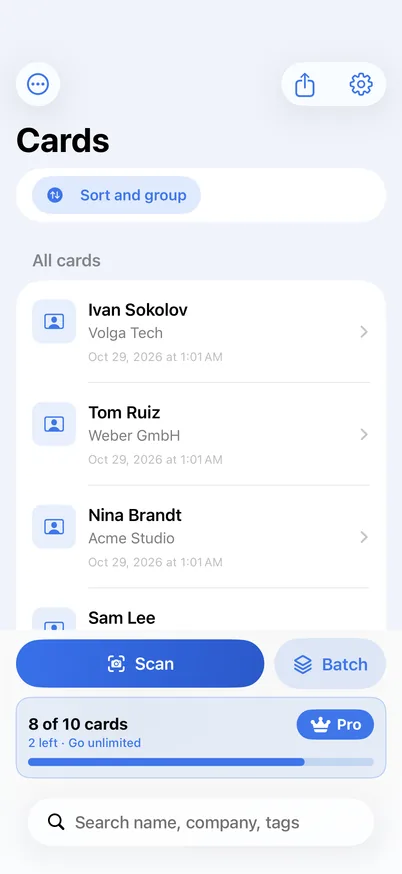
Back from a conference with a stack of cards? Batch mode scans them one after another, then you review the pile in one sitting and tag the event.
Export CSV or vCard, save to Contacts
Save a card straight to Apple Contacts, or export CSV for Numbers, Excel or a CRM, or vCard for any contacts app.
How it works
Scan
Point the camera at a card, or pick a photo you already took. Card edges are found for you.
Check
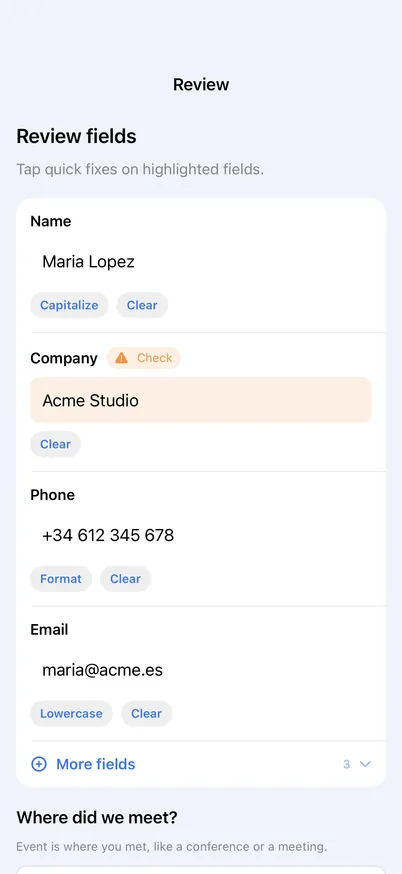
Text is split into fields. Fields the app is unsure about are highlighted, so a misread is easy to fix.
Keep
Save the card to your list or straight to Contacts. Add a note, an event tag and a follow-up reminder.
Share
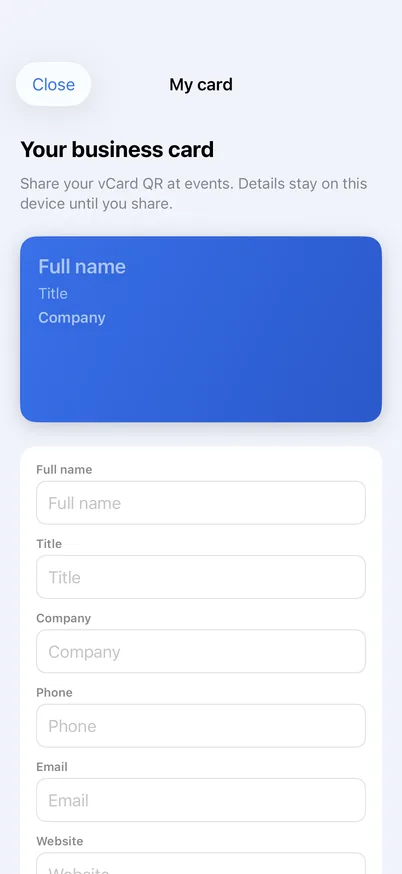
Export CSV or vCard. Show your own card as a QR code.
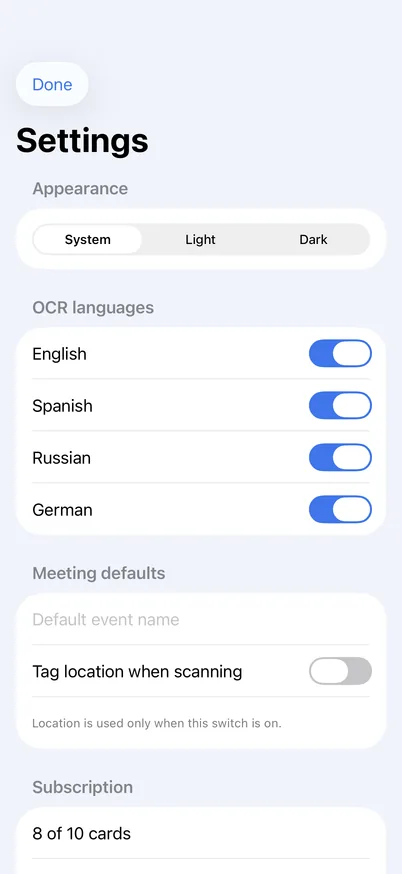
Recognition languages: English, Spanish, Russian and German.
Pricing
Free
Keep up to 10 cards in your list. Export and Contacts saving included.
Pro Monthly
Unlimited cards. No free trial.
Pro Yearly
Unlimited cards. 3-day free trial for eligible Apple IDs.
Prices shown in US dollars; your local App Store price may differ. Payment is charged to your Apple ID at confirmation. Subscriptions renew automatically unless cancelled at least 24 hours before the end of the current period, in Settings → Apple ID → Subscriptions.